Your whole crew's day, on one map
Route every install crew's day, see who's on the clock, log their expenses from the field, and watch every job photo and completion land as it happens.
Today's runs
Every crew's day, mapped stop by stop
Each crew opens the app to their own run for the day. The office sees the same map — who's on the clock, which stops are done, and what's still ahead.
Runs planned in Route Planner· Clock-ins shown live
Crews today
2 on the clock
Tyler Brooks
On the clockStops
0/4Now → 2001 Chestnut St

Marcus Webb
On the clockStops
2/4Now → 755 Frederick St

Diego Romero
Wrapped for the dayStops
4/4Done → 500 Cortland Ave
As it happens
3 photos added · Union St
9:12 AMReceipt logged — $86.40 fuel · Truck 12
9:04 AMTyler clocked in
8:58 AM
Stops today
12
Done so far
6/12
From the office
Admins see it all, as it happens
Runs, clock-ins, expenses, and completed jobs all roll up to the office as they happen — no status calls required.
Who's on the clock, and where
See which crews are clocked in today and the run they're working — every stop plotted on one map, no status calls needed.
Every expense as it's logged
Fuel, materials, parking — the moment a crew snaps a receipt in the field, it lands in your ledger tagged to the job.
See expense trackingWhich jobs are done
Watch installs flip to complete as crews mark them, with the crew's completion photos attached as proof.
Field expenses
Crews log expenses from the truck
A photo of the receipt is all it takes — it lands in your books, tagged to the job and the crew.
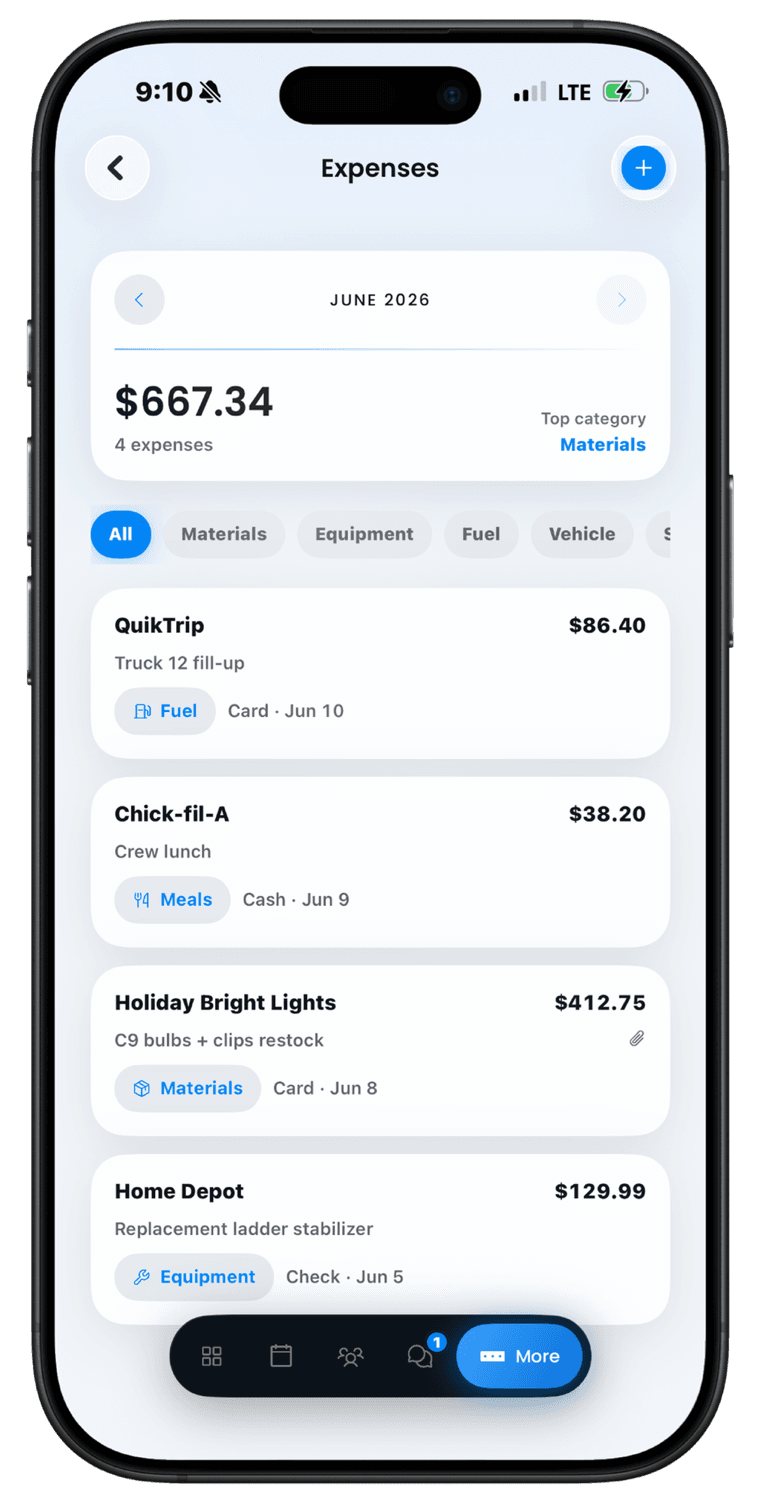
Office ledger · November 2026
Syncing liveQuikTrip
Fuel · Truck 12 fill-up
Nov 12
$86.40
Chick-fil-A
Meals · Crew lunch
Nov 11
$38.20
Holiday Bright Lights
Materials · C9 bulbs + clips restock
Nov 10
$412.75
Home Depot
Equipment · Replacement ladder stabilizer
Nov 7
$129.99
From the field
Photos on every job, one-tap complete
Crews add photos as they work and mark the install complete right from the job site — and every photo stays on the job record for next season.
2301 E Southlake Blvd
Holiday install · Tyler Brooks
 Site survey
 Finished install
Every photo stays on the job record — so next season's rehang quote starts from what you actually hung.
Completed installs
Crew-verifiedEvery finished job comes back with the crew's completion photos.
DoneSouthlake Blvd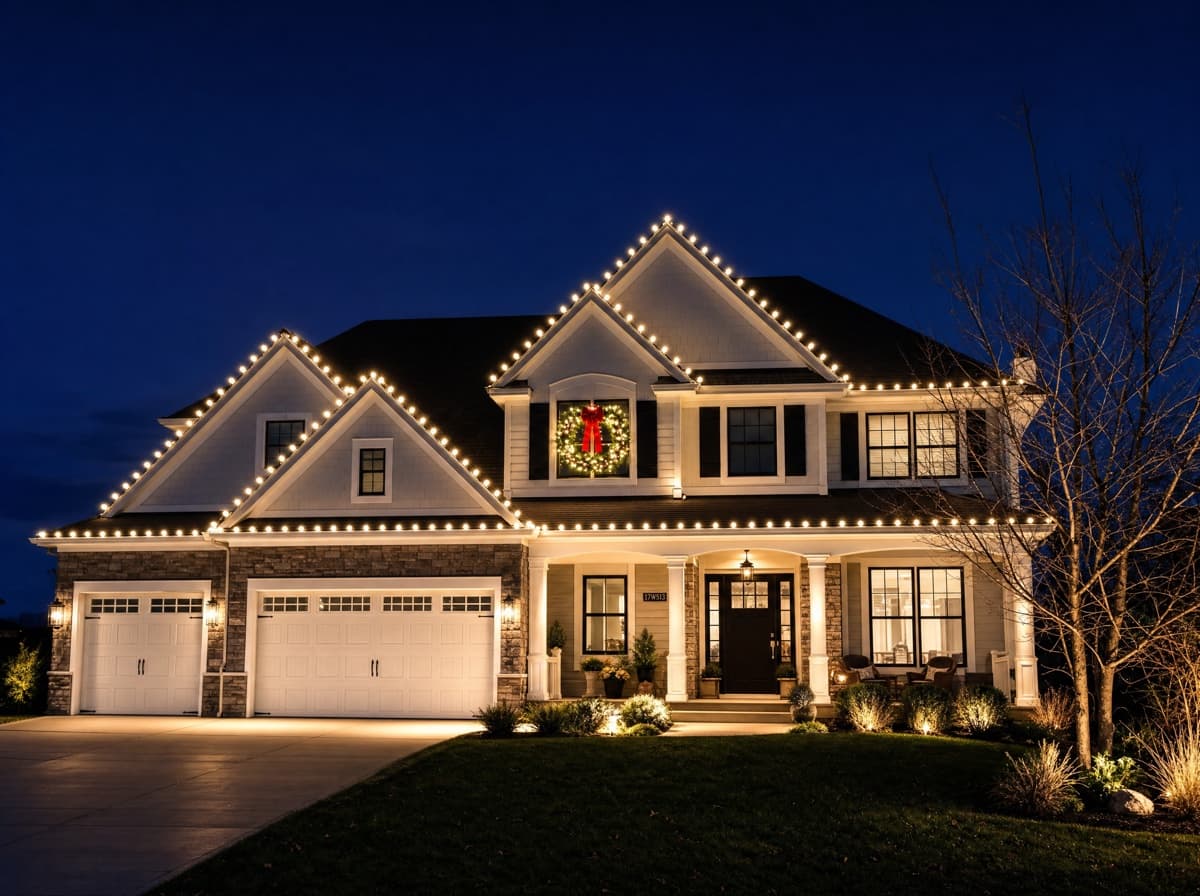 DonePreston Rd
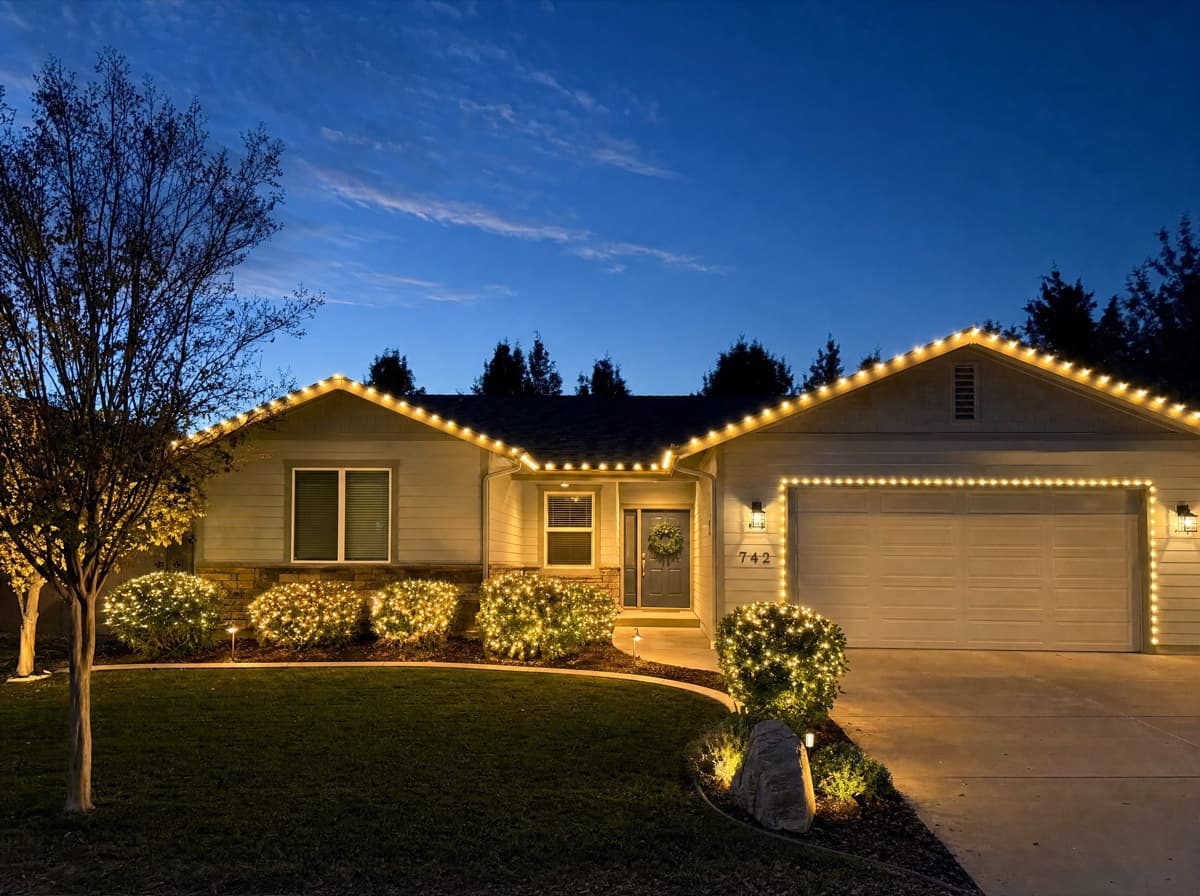 DoneGreenville Ave
 DoneRoss Ave
What you get
Everything to run install crews like a real operation — from the run map to the photos that prove the work is done.
Every run on one map
See each crew's day plotted stop by stop, with their route drawn in their own color and clock-ins shown live.
Optimized routing
Drop the day's stops, optimize the drive, and send each crew their route straight to Apple or Google Maps.
Field expense logging
Crews snap a receipt and log fuel, materials, and fees against the job — tagged to the crew and pushed to QuickBooks in one click.
Job photos on record
Crews add photos to every job, from site survey to finished install — and every season's photos stay on the job record.
One-tap mark complete
Crews mark each install done with completion photos, so the office sees finished work without a single text.
Hours that become payroll
Clock-ins roll into weekly hours per person and a one-click payroll report — straight from real time entries.
See your whole crew's day
Crew Management is built into LightMaster — map every install crew's run, see who's on the clock, and watch the work get marked done as it happens.